FIRST CHECK
An idle worker is a clue about its assignment, not a diagnosis by itself. Read the station menu and ask what that job is waiting to receive or deliver. The factory accounts describe separate production, power and hauling roles; checking their dependencies is more useful than raising another zombie immediately.
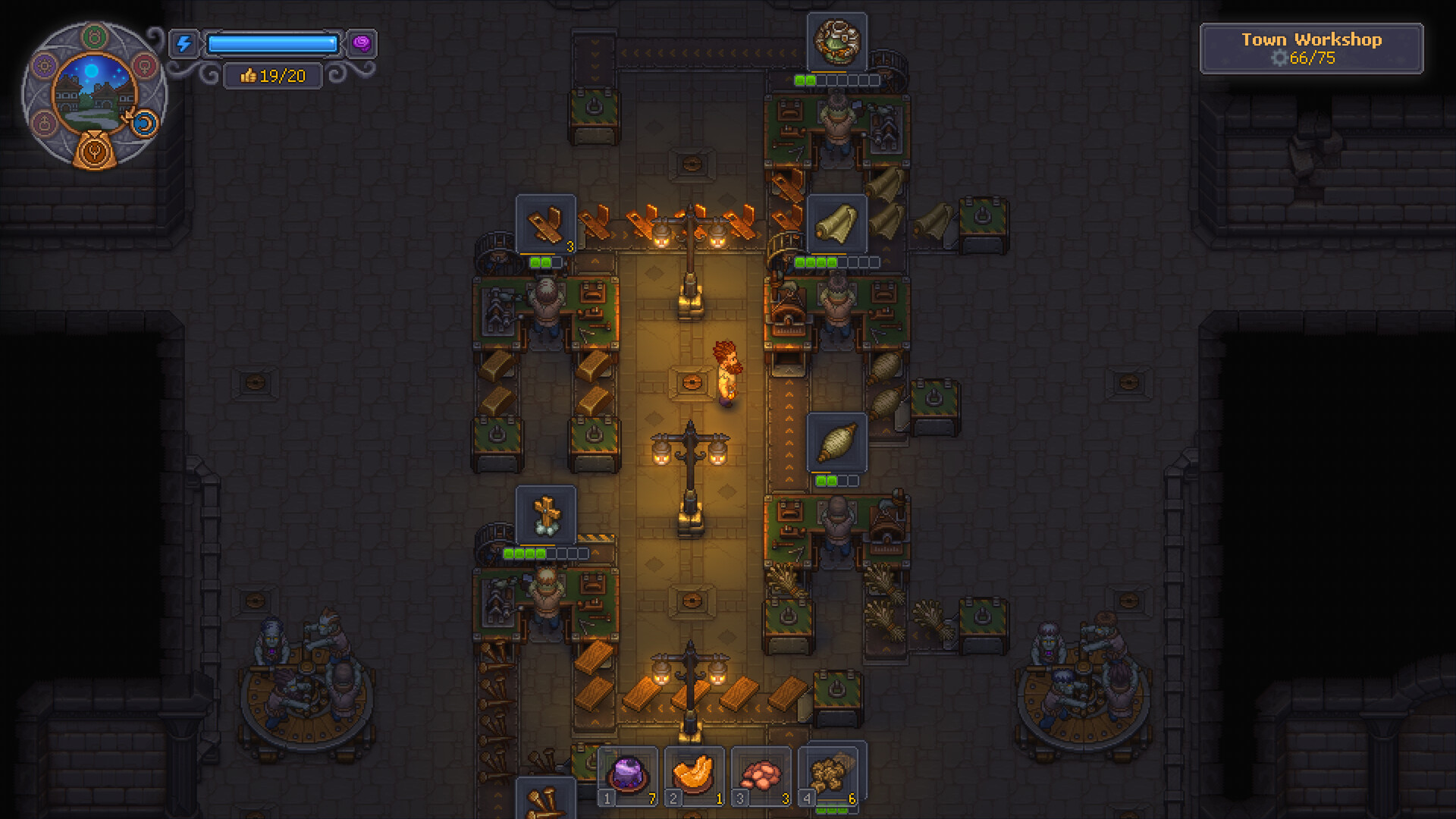
Start with the symptom
Producer never starts
- Inspect
- Assigned queue and all ingredients
- Next move
- Read the station state and confirm each input.
Porter waits without carrying
- Inspect
- Available output at pickup
- Next move
- Inspect the producer and collection point first.
Mine worker present but no ore
- Inspect
- Mining role and equipment
- Next move
- Use the mine checklist to distinguish extraction and transport.
What you need
- The station where the worker is actually assigned.
- The selected recipe or resource setting, if that role uses one.
- The stock and destination expected for the job.
Inspect the failed checkpoint
- 01Assigned role
- 02Required inputs
- 03Upstream output
- 04Next handoff
1Write down the current role
Check the station menu rather than inferring the job from where the zombie stands. Suggested roster columns: worker, station, role and expected output. This makes an accidental reassignment easier to spot when a line stops after a town trip.
2Inspect what the role needs
For a producer, read the queue and ingredient display. For power, inspect the overall power readout. For a transporter, inspect the collection point and destination. The mining report separately identifies a pickaxe-equipped miner and a porter; do not treat those assignments as interchangeable.
3Check the upstream worker
An idle porter may be waiting for a producer that has not finished anything. Observe whether output exists at the pickup point. If it does not, move upstream and investigate production instead of repeatedly replacing the transporter.
4Observe the downstream handoff
Once an item exists, watch where it goes. Our recommendation is a single small batch with a known destination. If it reaches the next stage, record that checkpoint as working and continue downstream. Do not judge the whole chain from one worker’s animation.
A staffing roster should explain the gap
Our suggested roster records a station and its expected result, rather than merely a worker total. When borrowing a zombie for combat, mark the production role it leaves behind. On returning, compare that station with the current assignment menu. This exposes a vacant power or hauling job even when the overall population has not changed. If staffing is intact, follow the dependency: a porter needs something ready at pickup, and a producer needs the complete recipe inputs. Add another worker only after identifying an unfilled role or a workload your observed output cannot support. The roster is a planning aid, not an automatic game feature.
Workbench questions
Is every idle zombie broken?
No such conclusion follows from an idle animation. Inspect the role and the task it is waiting for.
Should I revive more workers first?
First identify the missing role. Extra workers may not solve a wrong assignment or unavailable ingredient.
Keep the work moving
Official game references
- Graveyard Keeper 2 — official developer announcements ↗Official patch notes and developer updates
- Graveyard Keeper 2 — official game overview ↗Official game page
Version & evidence
Reviewed against PC 1.008 patch contextThis is an editorial inspection checklist informed by player factory and mining reports. It does not promise a universal equipment loadout or assume that every idle animation is a bug.
Source-reviewed guide; player routes are identified below. Not an in-game test.